Real-Time IoT Monitoring and Control Inside Video Calls
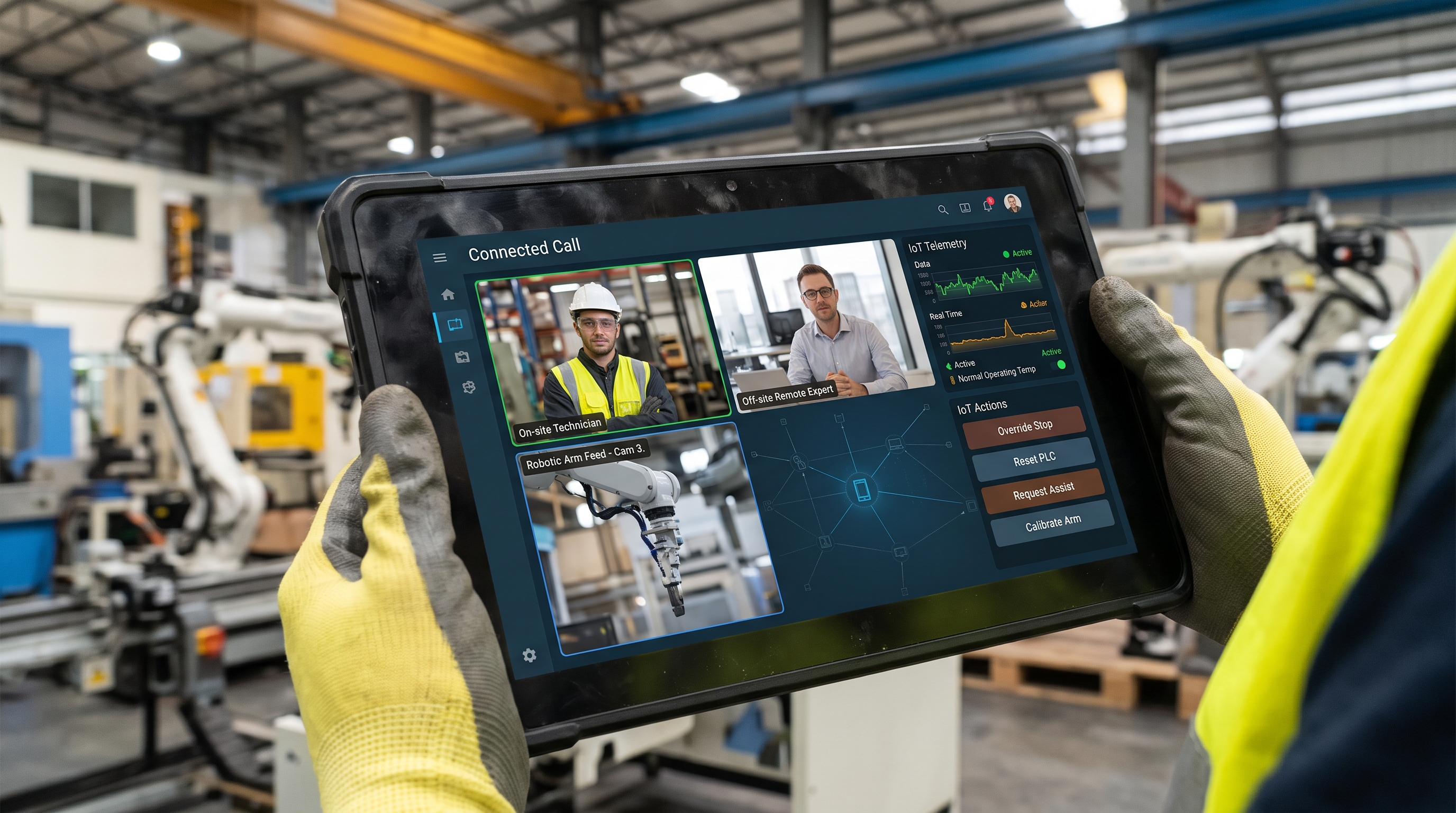
Case StudyOpenViduFIWAREIoTAn India-based industrial technology provider's video-calling platform already let factory and plant operators bring IP cameras into their calls. What they wanted next was live sensor data and device control inside that same call, without bolting on a separate dashboard.
Context
This client builds a video-calling platform for industrial and factory environments, used by people operating equipment on real plant floors. It already let participants bring IP cameras watching the facility into a call alongside people. Naeva Tec had helped with that first, solving the usual IP-camera integration problems (codec mismatches, RTSP negotiation quirks) across a range of real-world camera models.
The follow-on request: these calls connect people to remote, IoT-managed industrial environments, and participants needed live data from the sensors and machines on the factory floor, plus the ability to act on them, during the call itself.
The project
We looked at two ways to get IoT data into a call: a tailor-made MQTT queue system built specifically for this, or FIWARE, the open-source context-data-management stack already used across several Smart City and IoT projects. We went with FIWARE, since its Context Broker model gave the client a standard way to manage devices, subscriptions and commands rather than a bespoke protocol to maintain alone.
The architecture that went into production starts with IoT devices — sensors and actuators on the factory floor — publishing over MQTT to a Mosquitto broker. A FIWARE IoT Agent (UltraLight 2.0 at first, with a second JSON-based agent added in 2022) translates that MQTT traffic into FIWARE's NGSI context model. The Orion Context Broker, backed by MongoDB, holds the live state of every registered device and handles subscriptions to changes. A custom Fiware Manager service, built in Spring Boot, sits between Orion and the client's own platform: it registers devices, enforces a per-user, per-device authorization model (who can see which device's data, who can send which commands to which device), and relays live updates to the front end over a websocket.
On the front end, a CanvasPrinter component renders each device's data — a toggle, a numeric reading, a status light, whatever fits the device — onto a canvas, and CanvasOVPublisher publishes that canvas directly into the OpenVidu session as its own video track, alongside the camera and participant feeds.
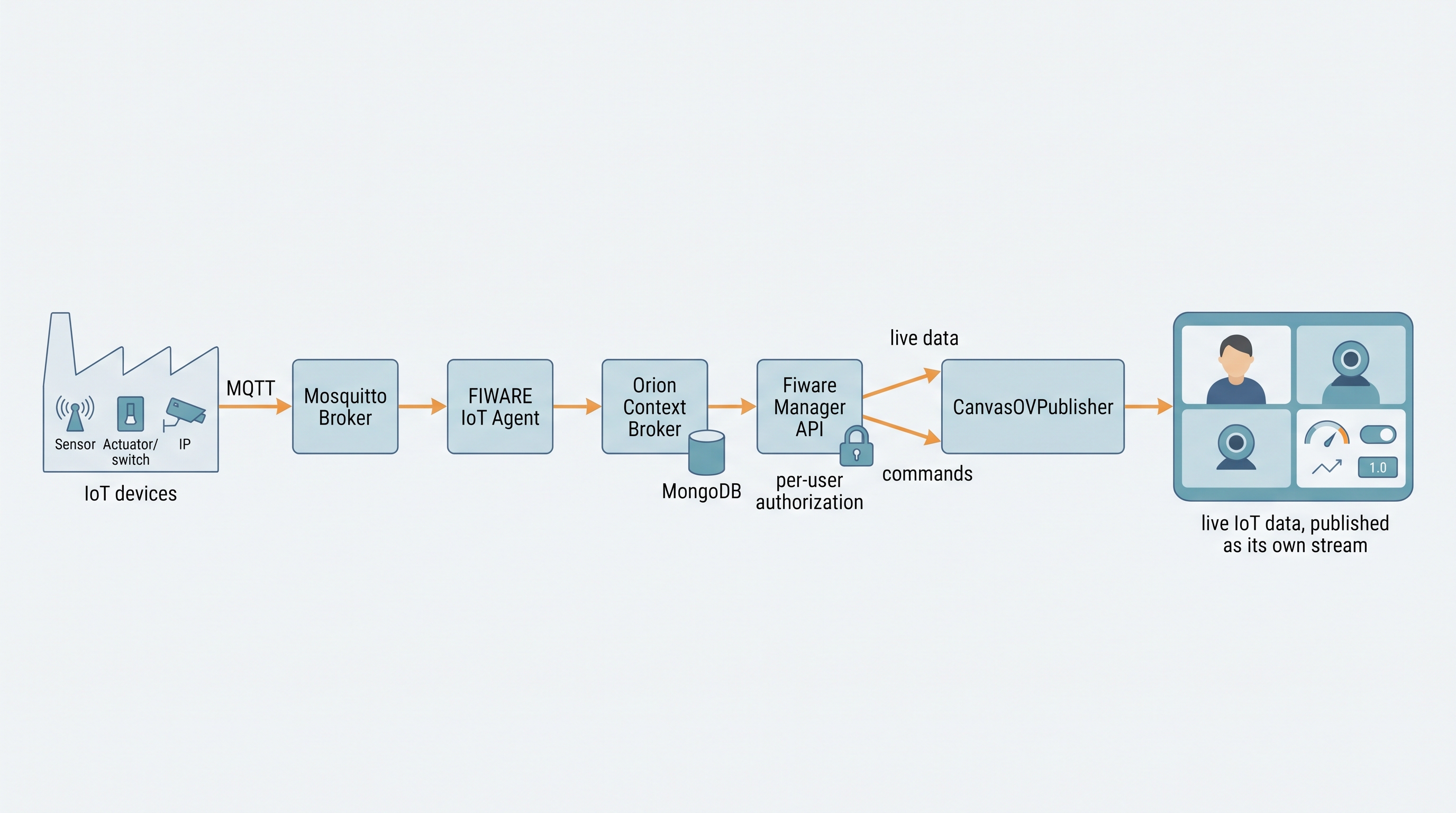
That's the piece that made this feel like part of the call: the sensor/control layer gets published as a stream the session already knows how to carry, the same way a camera feed does.
Our role
- Designing the FIWARE architecture (IoT Agent, Orion Context Broker, device/subscription model) for the client's own platform.
- Building the Fiware Manager API: device registration, per-user/per-device authorization, subscriptions, and the command path from a participant's action to the physical device.
- Building the
CanvasOVPublisher/CanvasPrinterfront-end components that turn live IoT data into its own OpenVidu-native video track. - Extending the system with a second IoT Agent type (JSON) in 2022, as the device catalog grew beyond what UltraLight 2.0 alone could cover.
Technologies
- OpenVidu, for the video session and the custom canvas-publisher track.
- FIWARE (Orion Context Broker, IoT Agent for UltraLight 2.0 and JSON), for device state and context management.
- MQTT (Mosquitto), for device-to-platform transport.
- MongoDB, backing the Context Broker.
- A Spring Boot (Java) service, for the device/authorization/command API layer.
Conclusion and lessons learnt
Choosing FIWARE over a bespoke MQTT system paid off because the client's device catalog kept growing: a second IoT Agent type slotted in without redesigning the rest of the stack. The bigger lesson was on the front end — treating IoT data as a native stream in the call, through the canvas publisher, instead of a UI panel someone has to screen-share. That's what made the data feel like part of the conversation, not a separate tool everyone had to check.