Real-Time IoT in Video Calls: Why It Beats Sharing a Dashboard
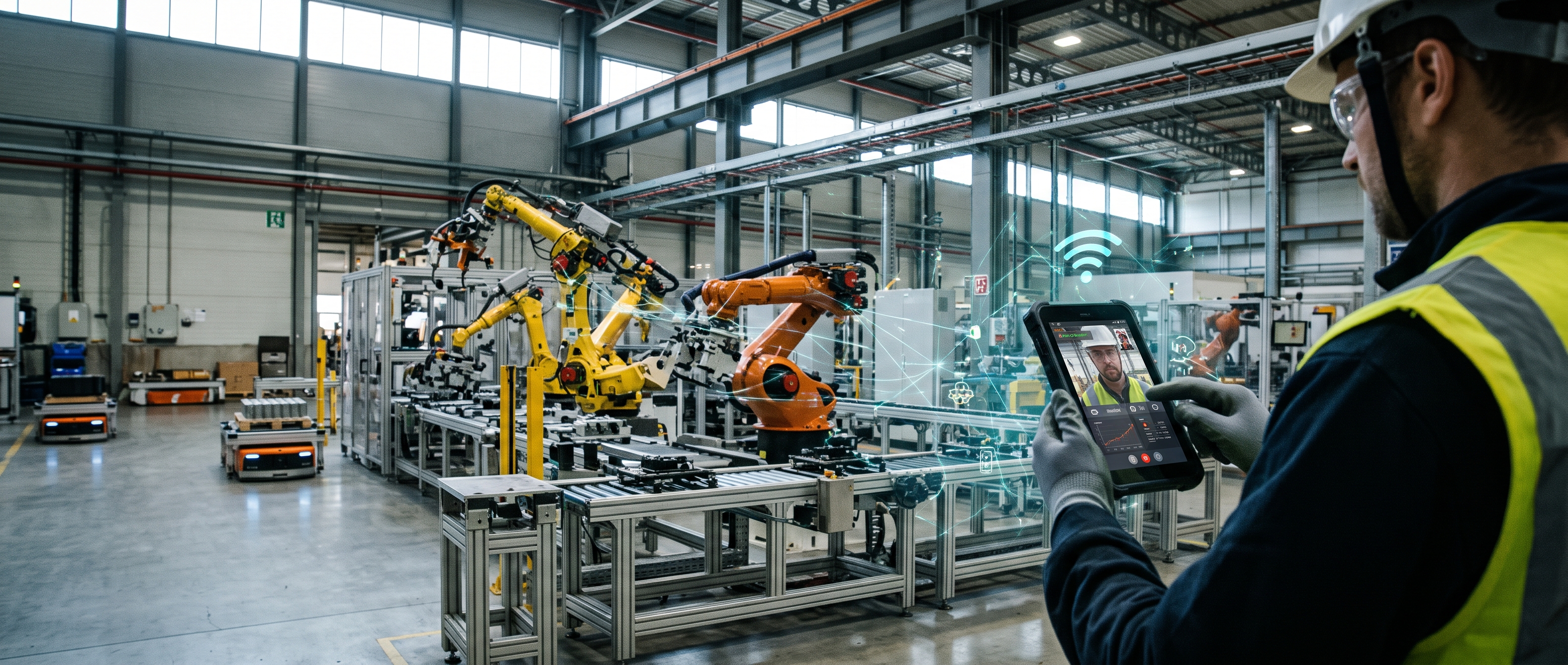
A common way to bring IoT data into a video call is the obvious one: open a dashboard, share your screen. For one specific, common situation it falls short — a call that already connects people to a remote, IoT-managed environment, cameras included.
Where this matters
Some calls connect more than people to people: they also reach IP cameras watching a space, and sensors and actuators inside it — a remote site, a smart building, a lab. The call is already the shared window into that environment, so the natural next step is for it to carry the environment's live data too, and let the right people act on it, rather than sending everyone to a separate dashboard tab.
What screen-sharing a dashboard costs
Screen-sharing works, but it stacks delays that don't need to exist. If the call already includes an IP camera feed, whoever shares their dashboard is doing two jobs at once — decoding that camera's own stream and re-encoding their whole screen (dashboard, camera window and all) back out over WebRTC to everyone else. Every other participant then decodes that re-encoded screen-share just to see numbers that were already live a moment earlier. IP camera ingestion and WebRTC don't add much latency on their own, but screen-sharing's own encode/decode step stacks on top of whatever came before it.
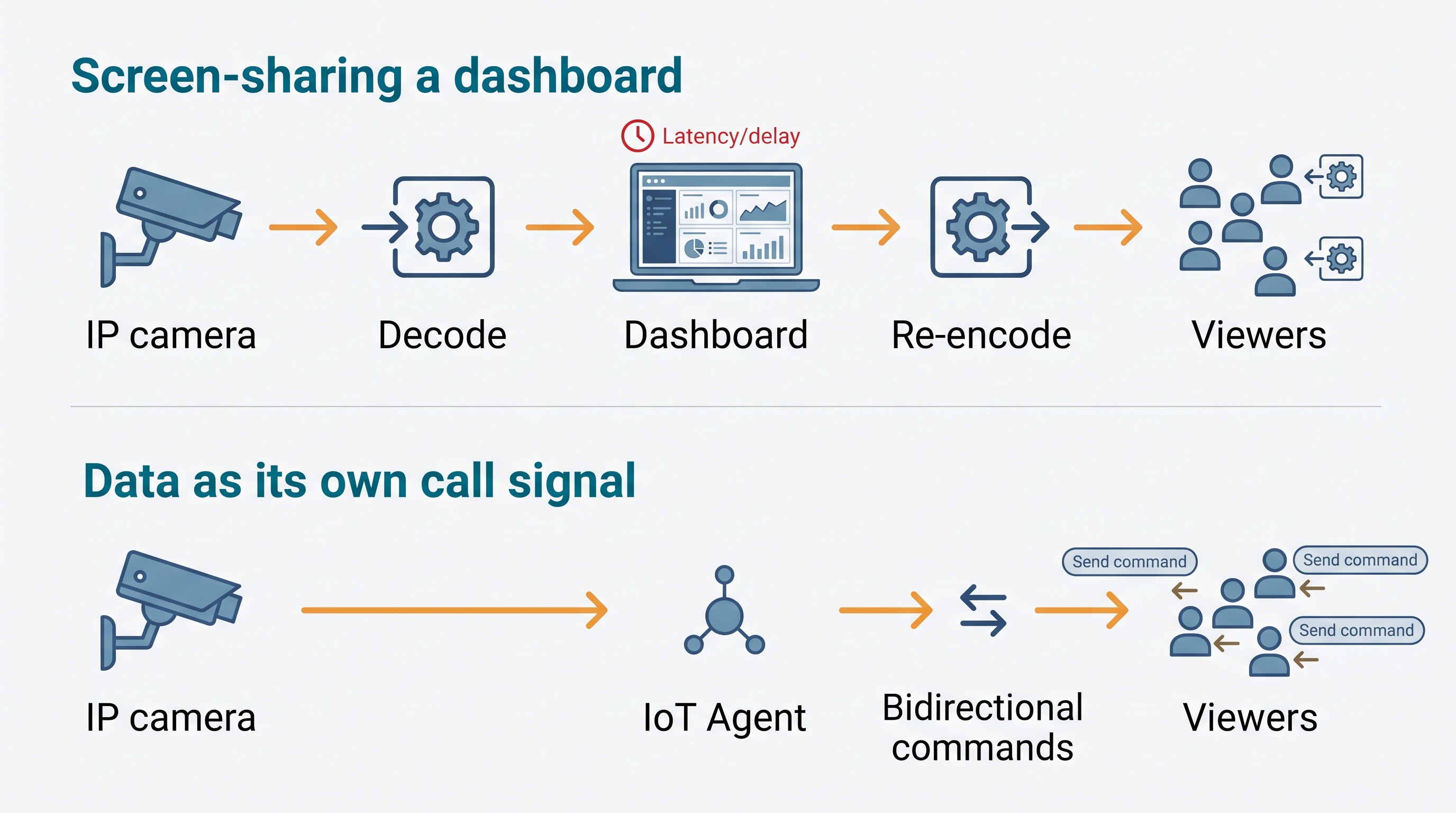
It also makes one person the bottleneck: only the presenter can act on the dashboard, while everyone else just watches a recording of their screen.
Make the data part of the call itself
The alternative we built for a real deployment (see our case study on an industrial IoT platform in India) is to carry IoT data as its own signal inside the session, the same way a camera or a microphone is: devices publish their state over MQTT, a FIWARE IoT Agent and Context Broker keep track of the current value of everything, and a thin API layer delivers live updates (and accepts commands) directly to and from the call's own interface — never by capturing someone's screen.
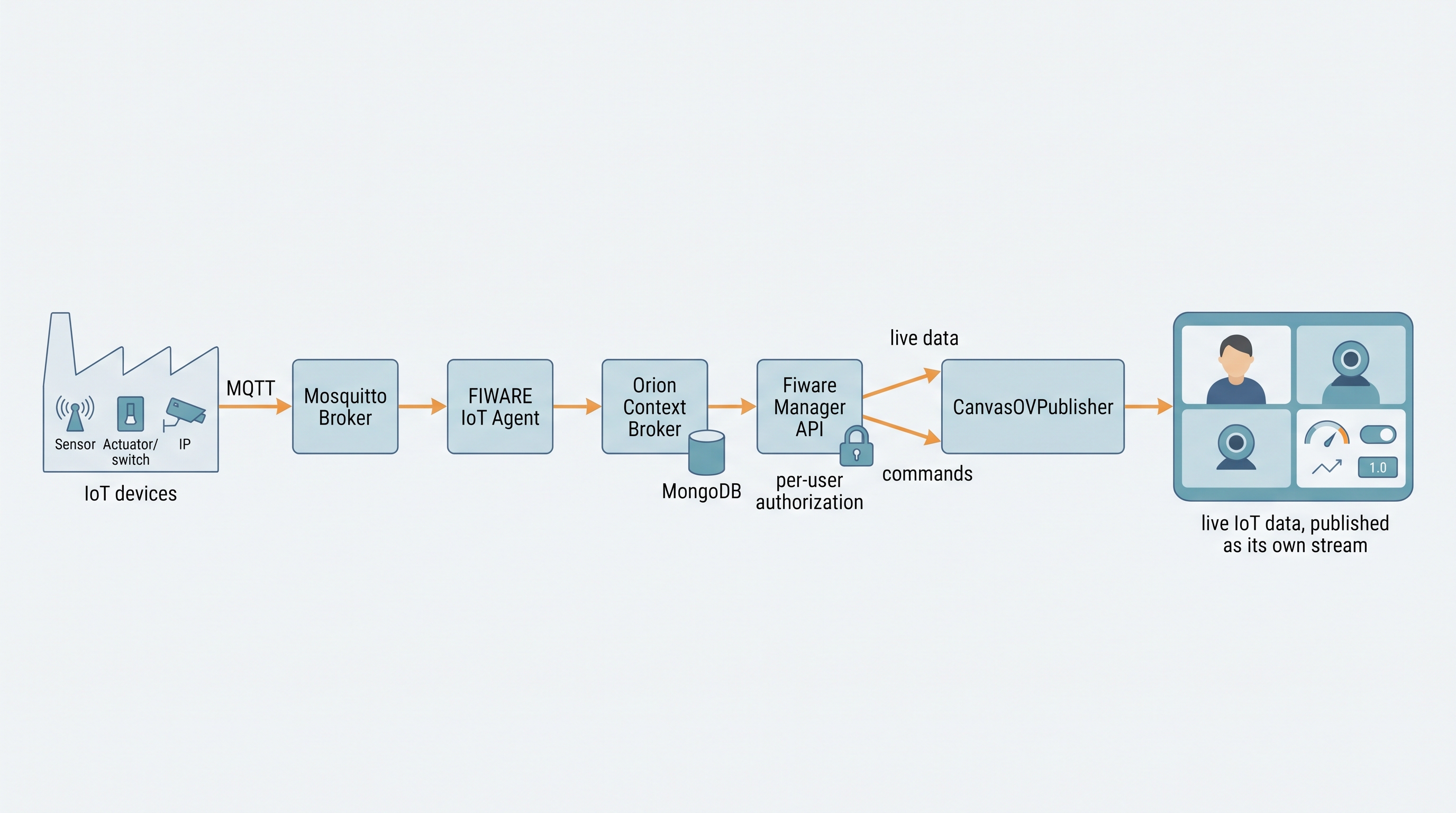
In practice, each device's data gets rendered with whatever fits it — a toggle, a gauge, a status light — and that rendering is published as its own track in the session, not a shared application window. It's one fewer decode/encode hop, and the data becomes a first-class part of the call rather than something relayed secondhand.
Who gets to act
Not every participant should be able to flip every switch, though. The same per-device data path doubles as the command path, with access granted per user and per device: one person might see a sensor's readings without being able to actuate anything, another might have full control of one specific device and nothing else. Several participants can hold different pieces of control over the same environment at the same time, all watching the same real-time feedback.
Why this feels different
The result feels closer to being in the room together than to watching someone else's screen. Nobody waits on one person's upload bandwidth to see a reading change, and more than one person can coordinate a response at once, each acting on their own piece of the system while watching the same live state update as it happens.